How to Prepare Documents for Indian e-Visa: 2026 Size Guide
Last Updated on
26 July 2026
If you are wondering how to prepare documents for Indian e-Visa applications to guarantee a first-time approval, you have landed on the right page. While many international travelers worry about their background checks, the harsh reality is that a simple technical mistake—like a blurry JPEG or an oversized file—is the leading cause of application failures.
When you face an unexpected Indian e-Visa document upload error on the official portal, it is usually the AI-driven system flagging your files before a human immigration officer even looks at them. In this comprehensive guide, we will break down the exact steps to make your digital paperwork “Machine-Ready” and stress-free

- Why Document Precision Matters When Learning How to Prepare Documents for Indian e-Visa
- Indian e-Visa, Document Requirements: Exact Files Needed for Every Category
- Tourist Guidelines: How to Prepare Documents for Indian e-visa
- Supplementary Documents for Business & Medical e-Visa
- Digital Photo for Indian e-Visa: Capturing the Flawless Portrait
- How to Prepare Documents for Indian e-Visa: Digitizing Your Passport Data Page
- Strict Rules for the e-Visa Passport Scan PDF Size and OCR
- How to Compress Documents for Indian Visa Applications: Free Tools
- Top Free India Visa Photo Resize and PDF Compression Tools
- The 2026 Pre-Upload Checklist: How to Prepare Documents for Indian e-Visa Perfectly
- Related Posts
- FAQs About How to prepare documents for Indian e-Visa
- Final Expert Verdict on How to Prepare Documents for Indian e-Visa Safely
Why Document Precision Matters When Learning How to Prepare Documents for Indian e-Visa
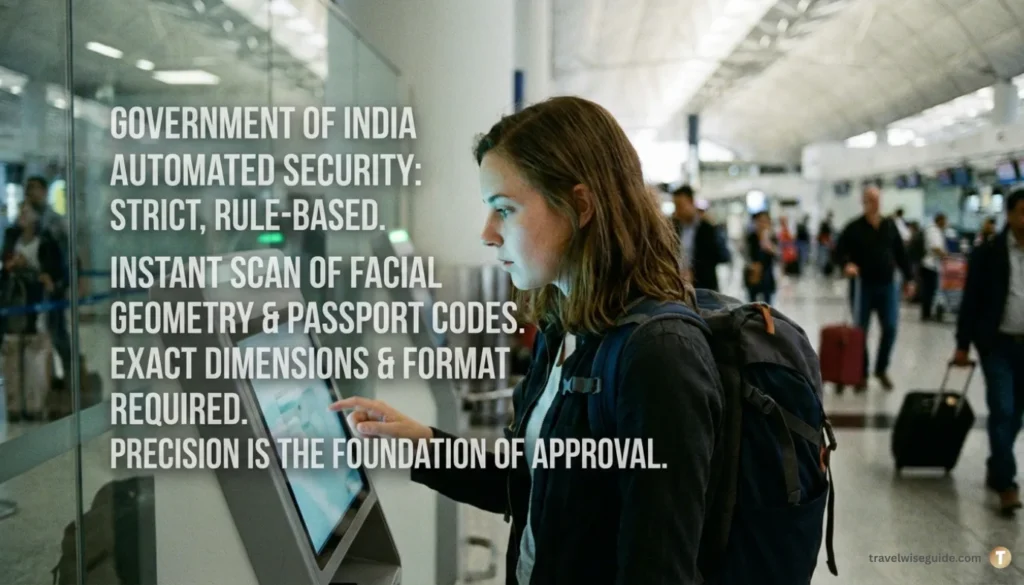
.The automated security system operated by the Government of India is incredibly strict and entirely rule-based. It does not negotiate with travelers or offer second chances for poor-quality uploads.
When you submit your application, the software instantly scans your facial geometry and reads the specialized codes at the bottom of your passport. If your digital files do not meet the exact dimensions, weight (in Kilobytes), and format protocols, the system will trigger an automatic refusal. Precision is not just an option here; it is the absolute foundation of your travel approval For the most up-to-date size limits and format rules, always cross-check with the [https://indianvisaonline.gov.in/evisa/] before applying.”
Confused by the Popup? How to Access the e-Visa Homepage
⚠️ Important Portal Navigation Tip: When you open the official Indian e-Visa link, you might see a massive promotional overlay (often for the ‘e-Production Investment Visa’) covering the entire screen. Do not panic; you are on the correct site. Simply click the “CLOSE” button at the top-right corner to reveal the actual e-Visa application homepage and document guidelines.
Indian e-Visa, Document Requirements: Exact Files Needed for Every Category
Depending on your core purpose of visiting India, the official government portal demands very specific pieces of digital paperwork. If you are not sure how to prepare documents for Indian e-Visa, submitting an incorrect file type for your chosen category is a guaranteed way to waste your processing fee.
🛂 India e-Visa Success Toolkit (2026)
Step 1: Beat the Refusal – [Common Rejection Reasons & Expert Solutions]
Step 2: Technical Mastery – [Official Document Size & Formatting Standards 2026]
Step 3: Track Your Progress – [How to Resolve Application Status Delays]
Step 4: Choose the Right Visa –[ India e-Tourist vs e-Business Visa: Key Differences 2026 ]
Step 5: Check Your Entry Point [Updated ]– India e-Visa Entry Points List 2026: Where Can You Enter?
Note: These guides are updated weekly based on the latest Ministry of Home Affairs (MHA) protocols.
Tourist Guidelines: How to Prepare Documents for Indian e-visa
For standard tourism, the requirements are straightforward but technically demanding. You must provide a square digital headshot and a flawlessly clear scan of your primary passport information page. Failing to maintain the exact e-Visa passport scan PDF size is where 80% of applicants make their first major mistake.
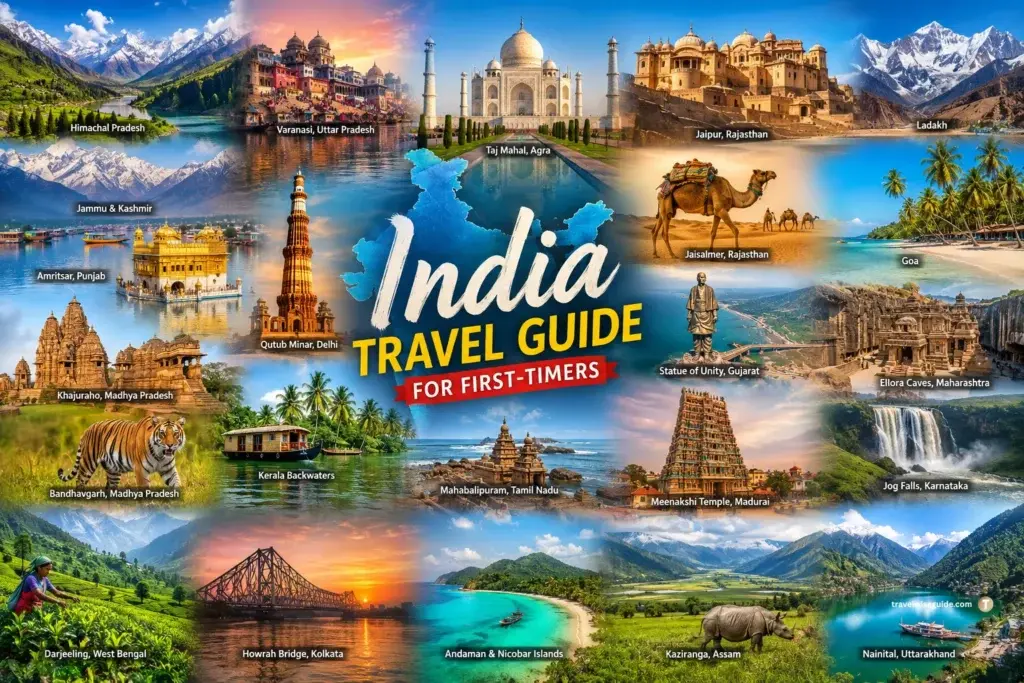
While you are busy learning how to prepare documents for Indian e-Visa, do not forget to plan the actual trip! If this is your first visit to India, our India Travel Guide for First-Timers: Visa & Itinerary (2026) can help you understand the essential visa steps, travel planning, major destinations, and practical tips you need before your journey To make the most of your journey, align your travel dates with the 25+ Indian Festivals Calendar 2026, figure out how to travel between major cities in India efficiently, and prepare your palate by exploring our Indian Cuisine Travel Guide.
Supplementary Documents for Business & Medical e-Visa
If you are traveling for purposes other than tourism, you must prove your intent with supplementary paperwork. These documents must also be uploaded as PDFs (under 300 KB).
| Visa Category | Mandatory Document Required | Critical Details to Include |
| Business e-Visa | Indian Company’s Invitation Letter OR Your Business Card | The letter must clearly show the Indian host company’s address and PAN number. |
| Medical e-Visa | Official Hospital Letterhead | Must be from a recognized Indian hospital, stating the patient’s details and treatment dates. |
Digital Photo for Indian e-Visa: Capturing the Flawless Portrait
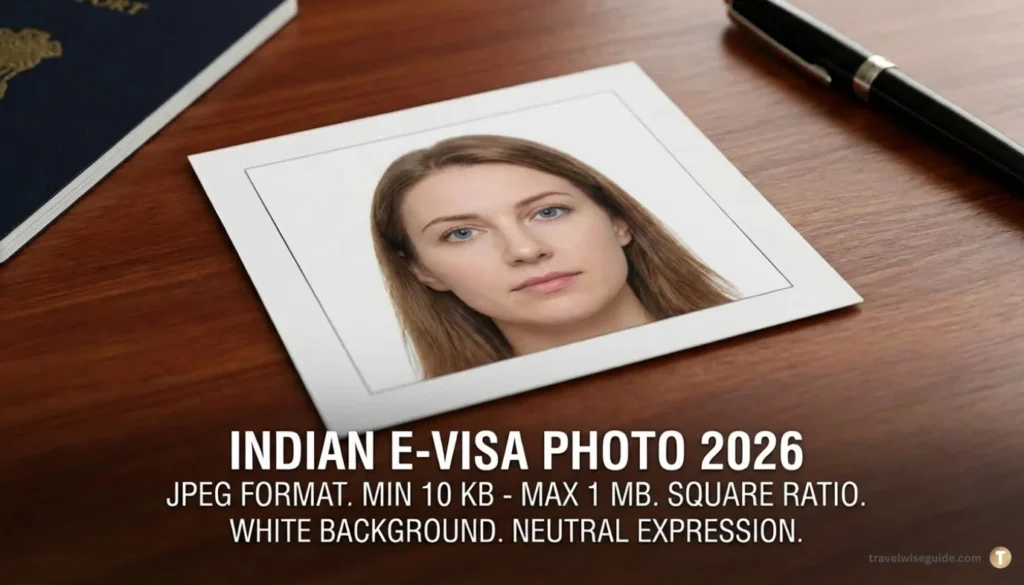
Taking a digital headshot with your smartphone might seem like a simple task, but the Indian immigration portal uses highly sensitive facial recognition technology. A slight shadow on your neck or an incorrect background color will immediately void your submission.
2026 Indian e-Visa Photo Specifications: Size, Format, and Background Rules
To pass the system’s checks, your photograph must strictly adhere to the updated Indian e-Visa photo specifications 2026. Here is the exact technical criteria you must follow:
| Feature | Official Requirement |
| Format | Strictly JPEG (.jpg) |
| Size limits | Minimum 10 KB to Maximum 1 MB |
| Aspect Ratio | Perfect Square (Height = Width) |
| Background | Plain white or off-white (strictly uniform, zero shadows or patterns). |
| Expression | Completely Neutral (Eyes open, no smiling, teeth hidden, no glasses) |
How to Prepare Documents for Indian e-Visa: Digitizing Your Passport Data Page
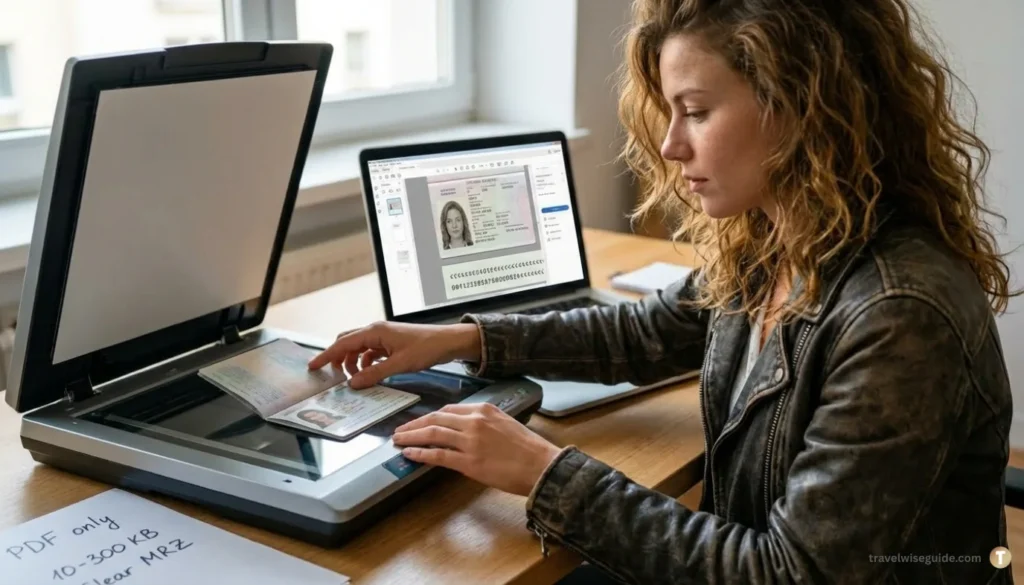
Your passport bio-page is the most critical piece of evidence regarding your identity and nationality. If the optical character recognition (OCR) algorithms cannot extract your data from the scan, your journey stops at the application stage.
Strict Rules for the e-Visa Passport Scan PDF Size and OCR
Unlike your digital photo, your passport bio-page follows an entirely different set of technical parameters. If the system cannot read your details via OCR (Optical Character Recognition), the application fails instantly.
| Passport Feature | Exact Technical Requirement |
| Accepted Format | Must be a PDF file (JPEGs are strictly rejected) |
| File Size Limit | Minimum 10 KB to Maximum 300 KB |
| Required Page | Only the main Bio-Page (containing your photo and personal data) |
| Edge Visibility | All four corners of the passport booklet must be clearly visible |
| The MRZ Rule | The Machine Readable Zone (the bottom two text lines with <<<) must be 100% clear and free of light glare. |
How to Compress Documents for Indian Visa Applications: Free Tools
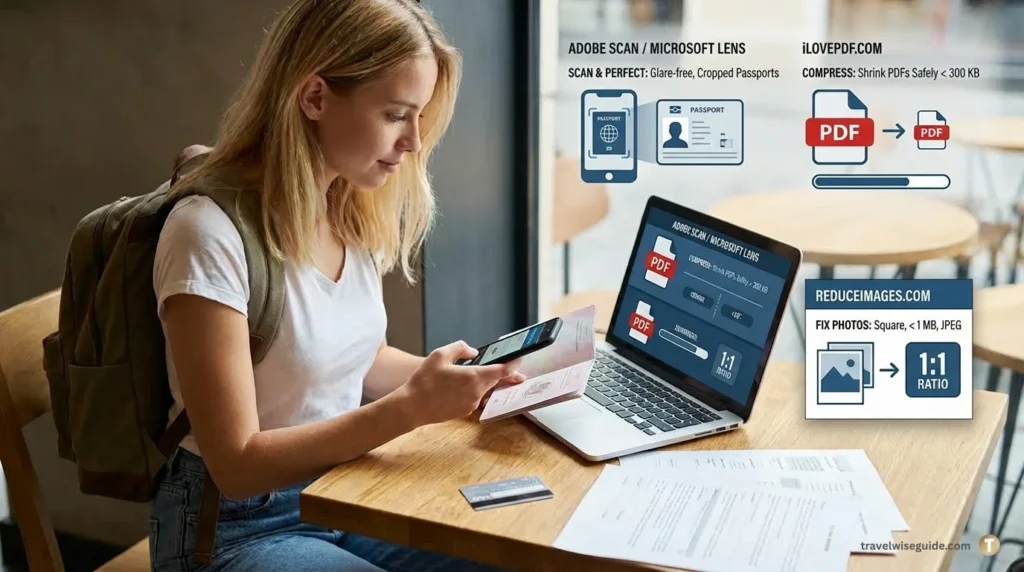
You do not need to hire a professional photographer or purchase expensive editing software to get your application ready. The internet provides highly effective, secure, and user-friendly platforms to modify your files at absolutely zero cost.
Top Free India Visa Photo Resize and PDF Compression Tools
If you are struggling with massive smartphone photos, learning how to compress documents for Indian Visa applications is your next step. You can use platforms like iLovePDF to shrink heavy passport scans safely under the 300 KB ceiling. Similarly, if you need free tools for India Visa photo resize tasks, websites like ReduceImages.com allow you to crop your image perfectly. Use these trusted, free digital tools to adjust your documents before applying:
Mastering the Indian e-Visa: Pro-Tips & Free Tools for Success
⚠️ Crucial Pro-Tip: As you learn how to prepare documents for Indian e-Visa, remember the official portal has a strict session timeout. Always save your Temporary Application ID before leaving the page to compress or resize your files, ensuring you never lose your progress.
| Your Goal / Task | Recommended Free Tool | Why it is the Best Choice |
| Scanning Passports | Adobe Scan / Microsoft Lens (Mobile Apps) | Automatically removes flash glares, flattens pages, and crops edges perfectly. |
| Compressing PDFs | iLovePDF.com | Shrinks large passport PDFs safely below the strict 300 KB limit without blurring text. |
| Fixing Photos | ReduceImages.com | Easily converts images to JPEG, forces a 1:1 square ratio, and cuts file size under 1 MB. |
The 2026 Pre-Upload Checklist: How to Prepare Documents for Indian e-Visa Perfectly
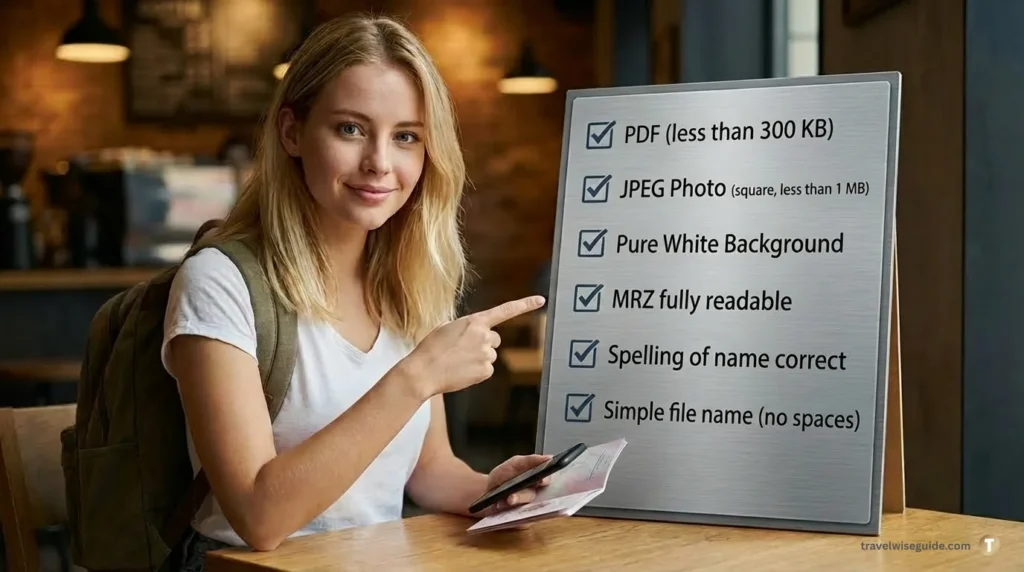
Before you finally click the ‘Submit’ button and pay your non-refundable fee, run your files through this mandatory 6-point quality check:
- [ ] The PDF Rule: Is my passport scan definitely a PDF file weighing under 300 KB?
- [ ] The JPEG Rule: Is my digital portrait a pure square JPEG file weighing under 1 MB?
- [ ] The Background Rule: Is the space behind my head in the photo 100% pure white without shadows?
- [ ] The MRZ Rule: Can I easily read every single letter and number in the bottom two lines of my passport scan?
- [ ] The Spelling Rule: Does my typed name on the portal match the spelling on my passport scan letter-by-letter?
- [ ] The File Name Rule: Does your file name contain only simple alphabets without any spaces or special characters (e.g., name it
passportscan.pdfinstead ofMy Passport & Visa!.pdf)?
Related Posts
India Airport Survival Guide 2025: Navigating Customs & Immigration at Delhi (DEL) & Mumbai (BOM)
- Pre landing preparation, immigration, baggage clearing customs, duty free allowances, jewelry rules, critical legal security restrictions
- https://travelwiseguide.com/india-airport-guide-delhi-mumbai-customs/
How to Travel Between Major Cities in India: Complete Train, Flight & Bus Guide
- Best way to travel by train ,suitable flights , useful bus connections, comparison guide
- https://travelwiseguide.com/how-to-travel-between-major-cities-in-india
Travel Terms Meaning: 20 Expert Secrets to Save Thousands!
- Decoding flight connection, accommodation mastery , decoding hotel meal plan , master hotel timings .
FAQs About How to prepare documents for Indian e-Visa
How to prepare documents for Indian e-Visa if my files are too large?
If your files exceed the official limits, you must compress them before uploading. Use free online tools like iLovePDF to shrink your passport PDF under 300 KB, and ReduceImages to crop your digital photo into a square JPEG under 1 MB.
What is the exact passport scan size for the Indian e-Visa in 2026?
The passport bio-page must be uploaded strictly as a PDF file. The file size must be a minimum of 10 KB and a maximum of 300 KB. JPEGs or PNGs are not accepted for the passport document section.
Can I take my Indian e-Visa photo with a smartphone?
Yes, you can use a smartphone, provided it meets strict biometric rules. Ensure the photo has a pure white background, a neutral facial expression, no shadows on your neck, and is formatted as a 1:1 square JPEG.
Why is the Indian e-Visa portal constantly showing an “Upload Error”?
Upload errors typically happen for three reasons: your passport is not a PDF, your photo exceeds 1 MB, or your file names contain spaces/special characters. Always rename your files simply (e.g., passportscan.pdf) before uploading.
Can I wear prescription glasses in my Indian e-Visa photograph?
No. The Government of India strictly prohibits wearing any type of glasses (prescription or tinted) in your e-Visa photo. Your eyes must be fully visible without glare for the automated facial recognition software to approve it.
Do I need a color scan of my passport, or is black and white okay?
You must upload a clear, full-color scan of your passport’s biographical page. Black and white scans, or photos where the bottom Machine Readable Zone (MRZ) is cut off or blurry, will result in an automatic rejection.
Is a physical printout of the documents required at Indian immigration?
While learning how to prepare documents for Indian e-Visa is a fully digital process, you must carry a physical, printed copy of your approved Electronic Travel Authorization (ETA) and the exact physical passport you scanned when you arrive in India.
How many blank pages are required in my passport for the e-Visa?
Along with uploading the correct digital scan, your physical passport must have at least six months of validity remaining from your date of arrival, and it must contain a minimum of two blank pages for stamping by the immigration officer.
Final Expert Verdict on How to Prepare Documents for Indian e-Visa Safely
Treat the process of learning how to prepare documents for Indian e-Visa processing with the same extreme caution you would apply to legal or banking paperwork. Spending an extra fifteen minutes carefully cropping, resizing, and converting your files today will save you from 72 hours of anxiety and the financial loss of a rejected application. We hope this step-by-step guide on how to prepare documents for Indian e-Visa helps you bypass the technical errors and secure a fast, first-time approval for your upcoming trip!
If you have already received a refusal email and are unsure of what went wrong, do not panic Head over to our comprehensive India e-Visa Rejection Guide: Make it Stress-Free to decode the government’s response and plan your safe re-application strategy.
.Once your paperwork is successfully sorted, the next crucial step is financial planning. To ensure you do not overspend on your trip, explore our practical India Travel Budget Guide 2026 to understand real daily costs, intercity travel expenses, and how much cash to carry.
⚠️ Stay Safe: Official Indian e-Visa Guidelines & Scam Alert
⚠️ Scam Alert & Final Advice: Please note that the only official website for Indian e-Visa applications ends in .gov.in. Do not upload your sensitive passport documents to third-party agency websites charging inflated processing fees. Immigration rules can update suddenly, so we recommend verifying any recent policy shifts directly through the https://boi.gov.in/boi/